Reel bench — the feed turned sideways

Same sticky frame, same scroll-driven progress, same vertical callout track. The five specimens now travel left → right inside the phone instead of bottom → top. Three scroll spans below; the shipped page is currently 515vh.

Variant A  ·  200vh  ·  ~40vh per specimen  ·  fastest
Requests, pinned rooms and common rooms live on one screen — nothing needs a second app open beside it.
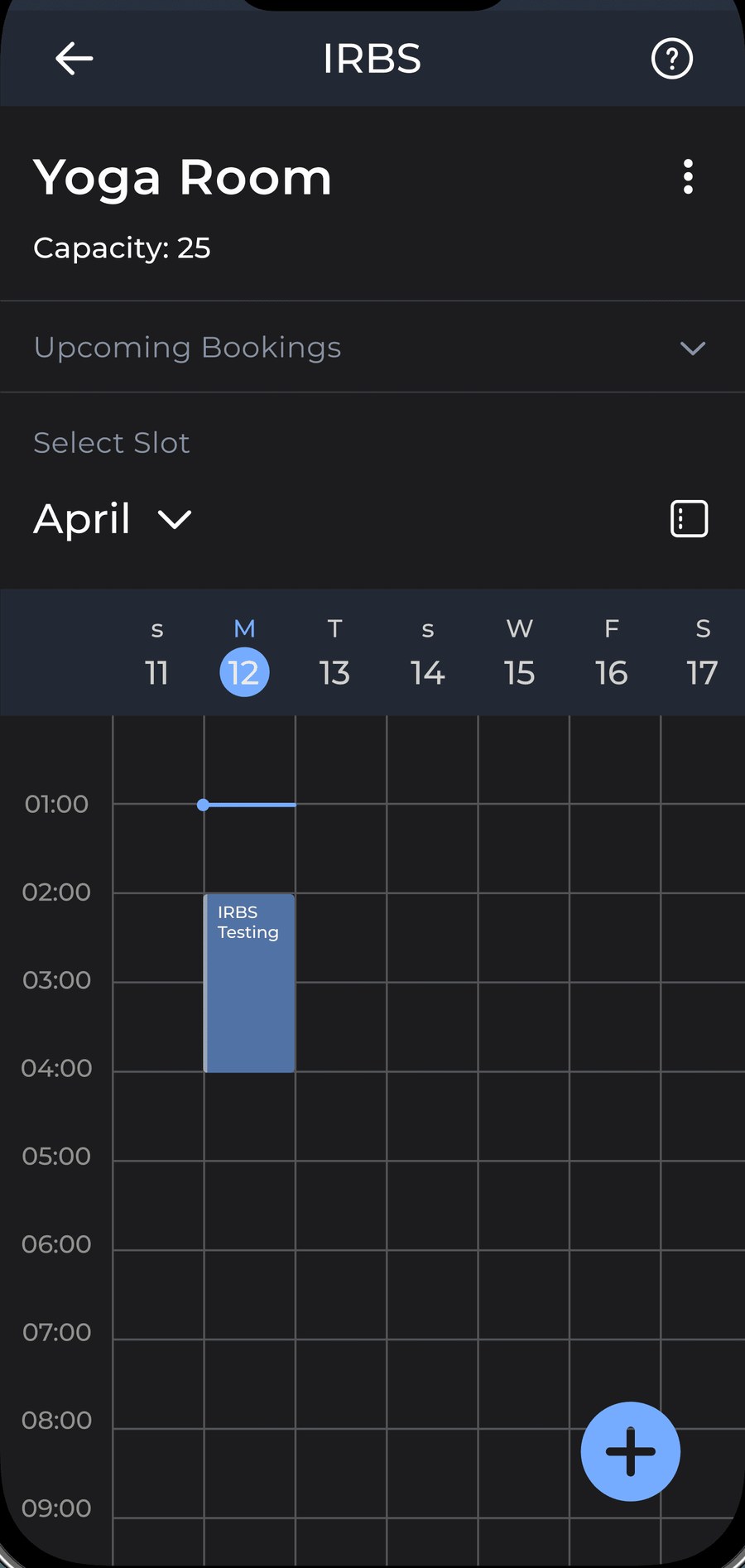
A real calendar, not a blind request — students see every existing booking before choosing a slot.
Status is colour-coded — pending, approved, rejected — so a secretary never has to open a request to know where it stands.
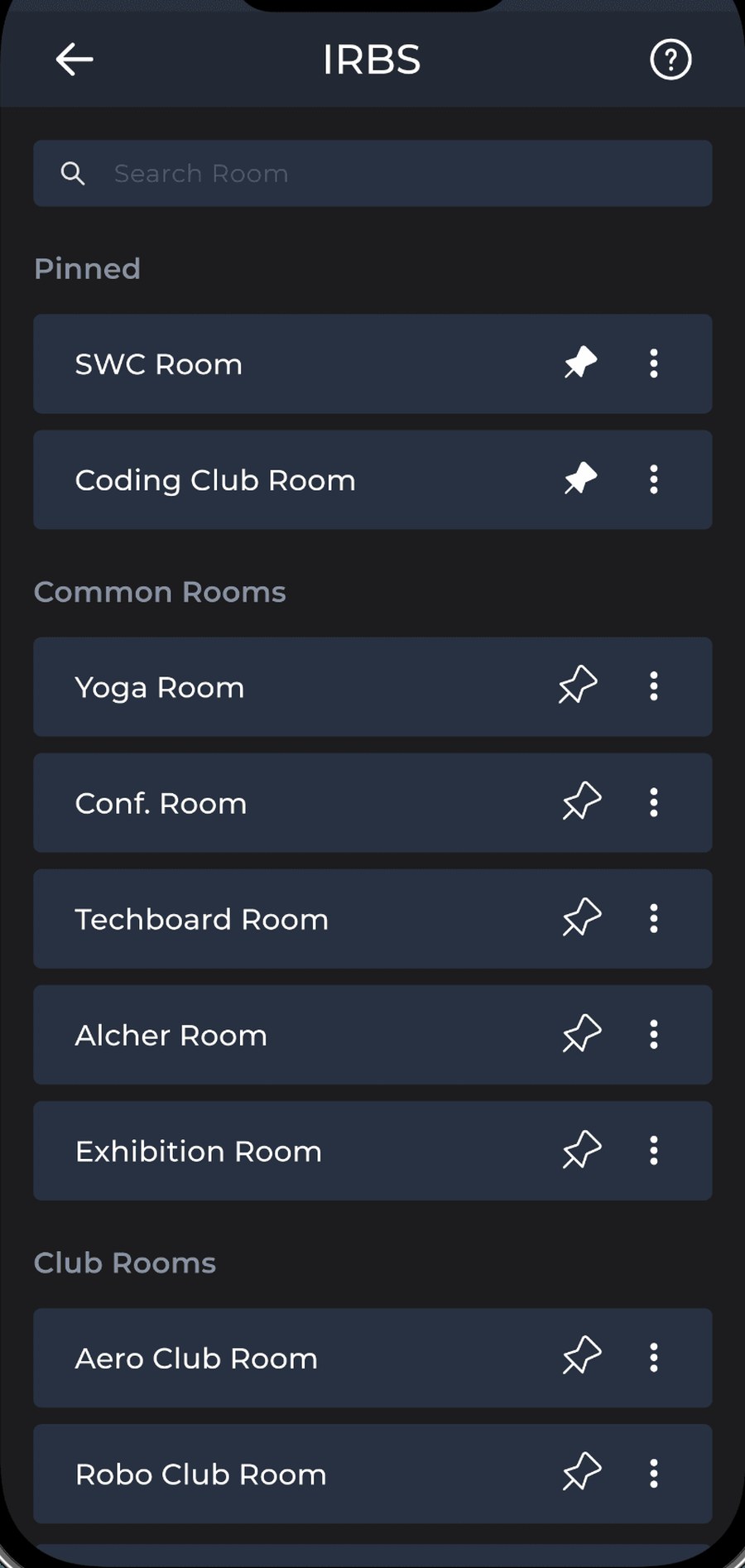
Pinned rooms surface first; the rest are grouped by the same room types laid out in Context.
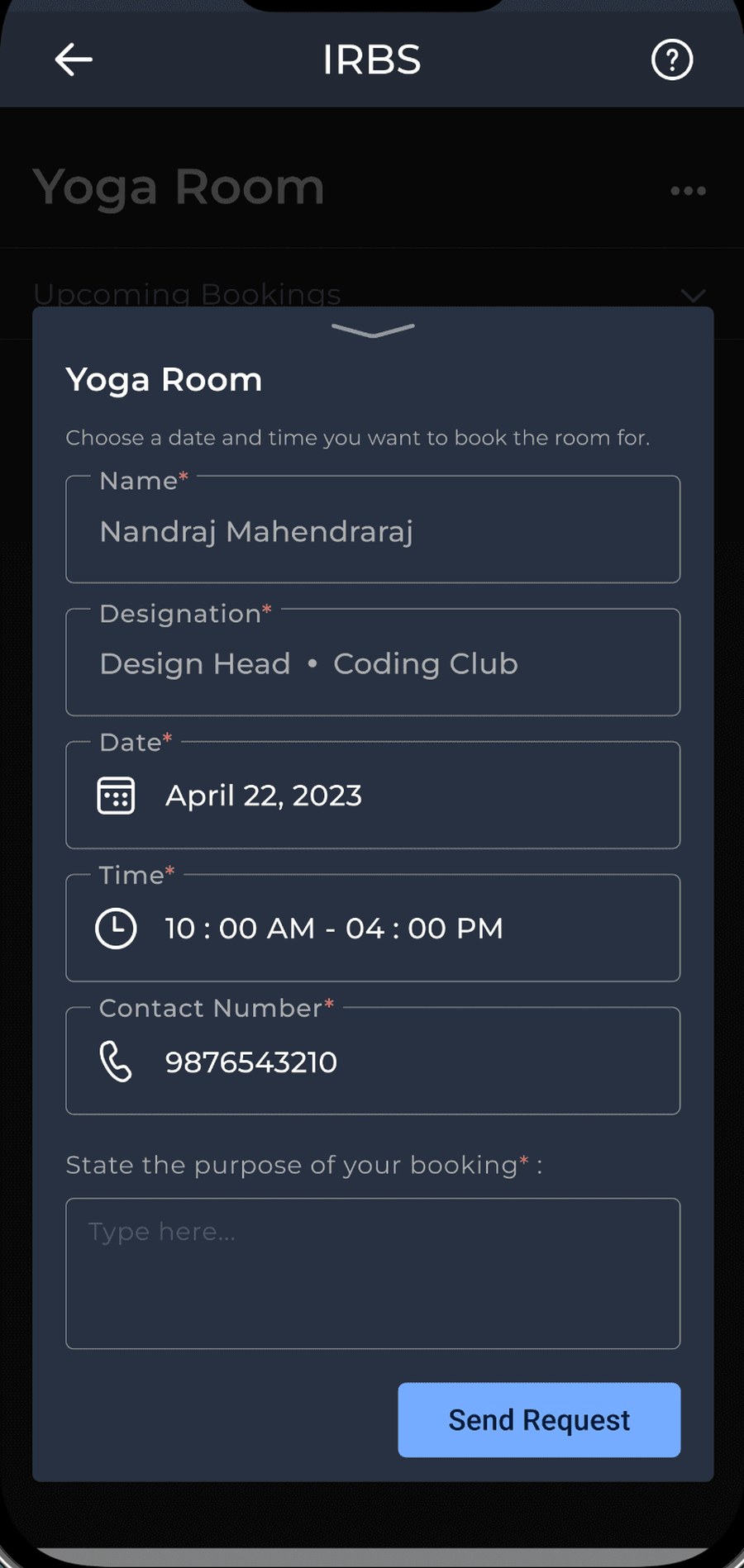
Every field a secretary needs to decide fast — name, designation, date, time, purpose — travels with the request.
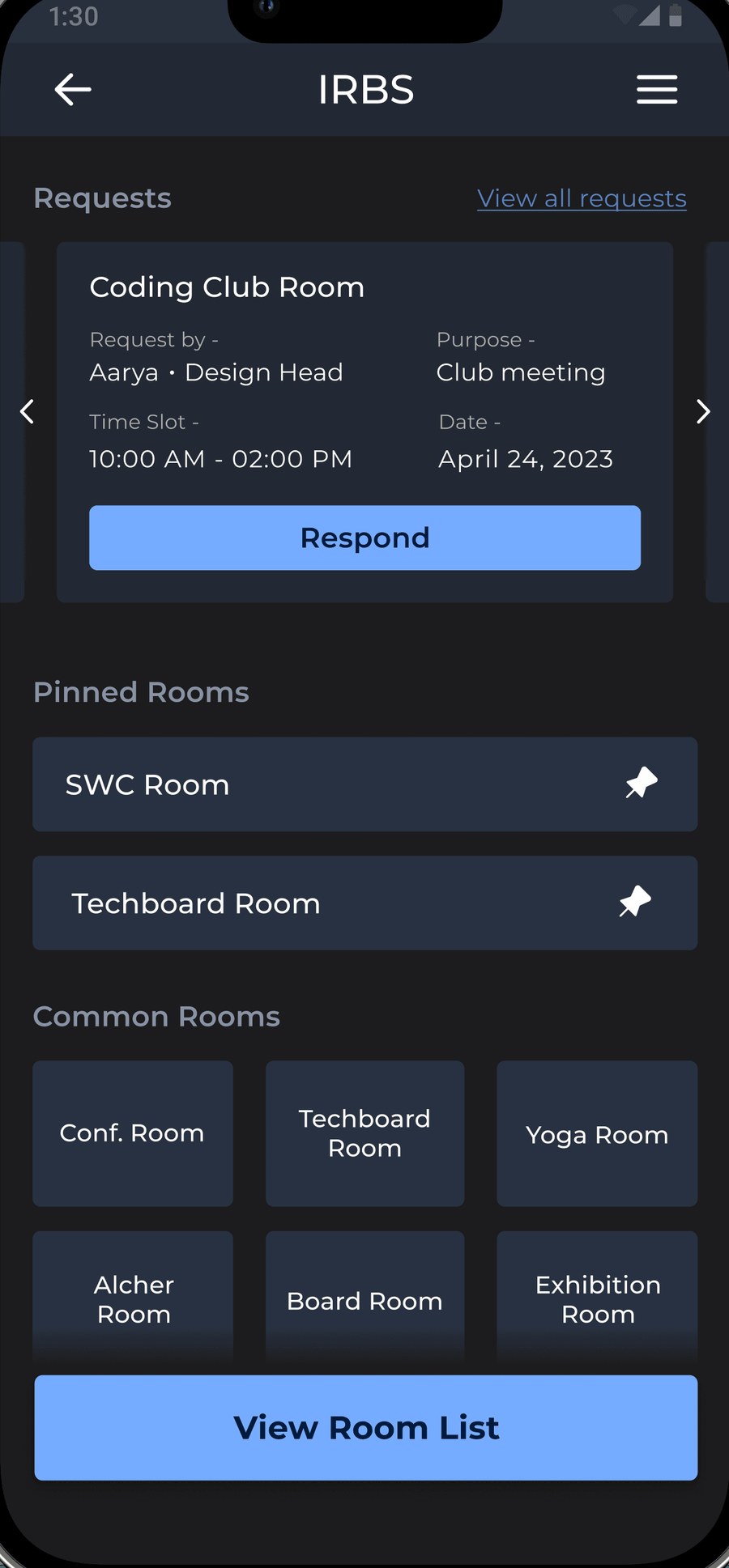
IRBS home — requests, pinned rooms and common rooms Yoga Room slot calendar showing an existing booking Booking history — colour-coded pending, approved and rejected requests Room list grouped by pinned, common and club rooms Booking request form for the Yoga Room
Screen 01Home
Screen 02Slot calendar
Screen 03Booking history
Screen 04Room list
Screen 05Request form
Variant B  ·  300vh  ·  ~60vh per specimen  ·  brisk
Requests, pinned rooms and common rooms live on one screen — nothing needs a second app open beside it.
A real calendar, not a blind request — students see every existing booking before choosing a slot.
Status is colour-coded — pending, approved, rejected — so a secretary never has to open a request to know where it stands.
Pinned rooms surface first; the rest are grouped by the same room types laid out in Context.
Every field a secretary needs to decide fast — name, designation, date, time, purpose — travels with the request.
IRBS home — requests, pinned rooms and common rooms Yoga Room slot calendar showing an existing booking Booking history — colour-coded pending, approved and rejected requests Room list grouped by pinned, common and club rooms Booking request form for the Yoga Room
Screen 01Home
Screen 02Slot calendar
Screen 03Booking history
Screen 04Room list
Screen 05Request form
Variant C  ·  400vh  ·  ~80vh per specimen  ·  moderate
Requests, pinned rooms and common rooms live on one screen — nothing needs a second app open beside it.
A real calendar, not a blind request — students see every existing booking before choosing a slot.
Status is colour-coded — pending, approved, rejected — so a secretary never has to open a request to know where it stands.
Pinned rooms surface first; the rest are grouped by the same room types laid out in Context.
Every field a secretary needs to decide fast — name, designation, date, time, purpose — travels with the request.
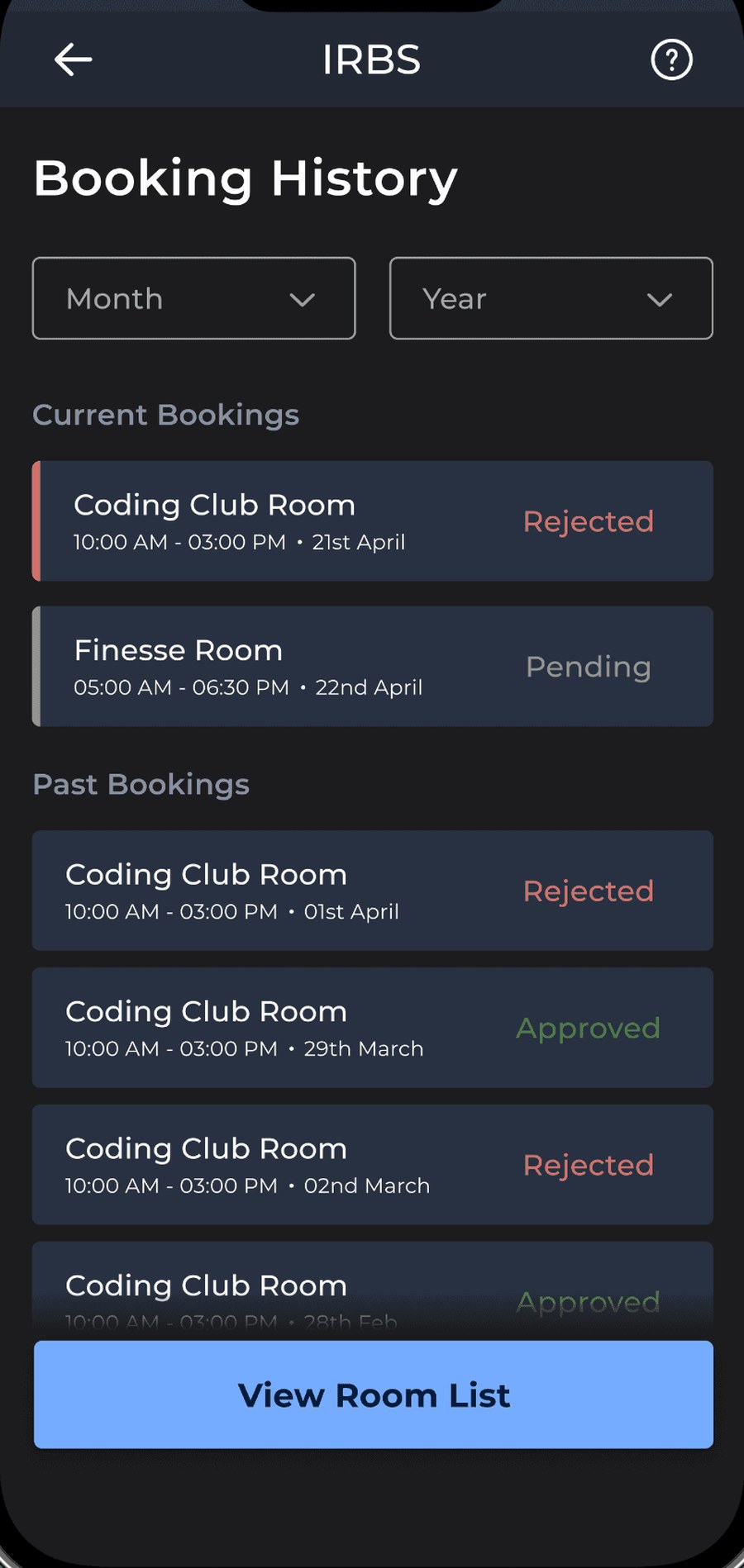
IRBS home — requests, pinned rooms and common rooms Yoga Room slot calendar showing an existing booking Booking history — colour-coded pending, approved and rejected requests Room list grouped by pinned, common and club rooms Booking request form for the Yoga Room
Screen 01Home
Screen 02Slot calendar
Screen 03Booking history
Screen 04Room list
Screen 05Request form